Safety doesn’t happen by accident—neither does effective communication around it. On active worksites, where risks shift daily, the toolbox talk form is one of the most underrated yet powerful tools in a safety manager’s arsenal. These forms aren’t just paperwork—they’re a structured way to deliver critical safety messages, document understanding, and create accountability among crews.
Yet, many teams treat toolbox talk forms as a compliance box to check, not a practical safety mechanism. That’s a missed opportunity. When used right, these forms reduce incidents, improve hazard awareness, and foster a culture where safety is spoken—not just posted.
Here’s how to transform your toolbox talk forms from forgotten sheets into active safety drivers.
Why Toolbox Talk Forms Matter More Than You Think
A toolbox talk is a short safety meeting—usually 10 to 15 minutes—held at the start of a shift or before a high-risk task. The form turns that verbal exchange into a documented process. It records the topic, attendees, hazards discussed, controls agreed upon, and signatures confirming participation.
Without a form, the talk is ephemeral. With it, you create: - A legal record of due diligence - A training trail for new employees - A trend analysis tool for recurring hazards - A feedback loop for safety leadership
Example: A crew begins work near live electrical lines. The supervisor leads a 12-minute talk on electrical safety and locks out procedures. Everyone signs the form. Two weeks later, an inspector visits. The documented talk proves compliance with OSHA 1910.333—avoiding penalties and demonstrating proactive safety culture.
The form turns intention into evidence.
Key Elements of an Effective Toolbox Talk Form
Not all forms are created equal. A weak one collects names and a topic. A strong one drives engagement and action. Include these elements:
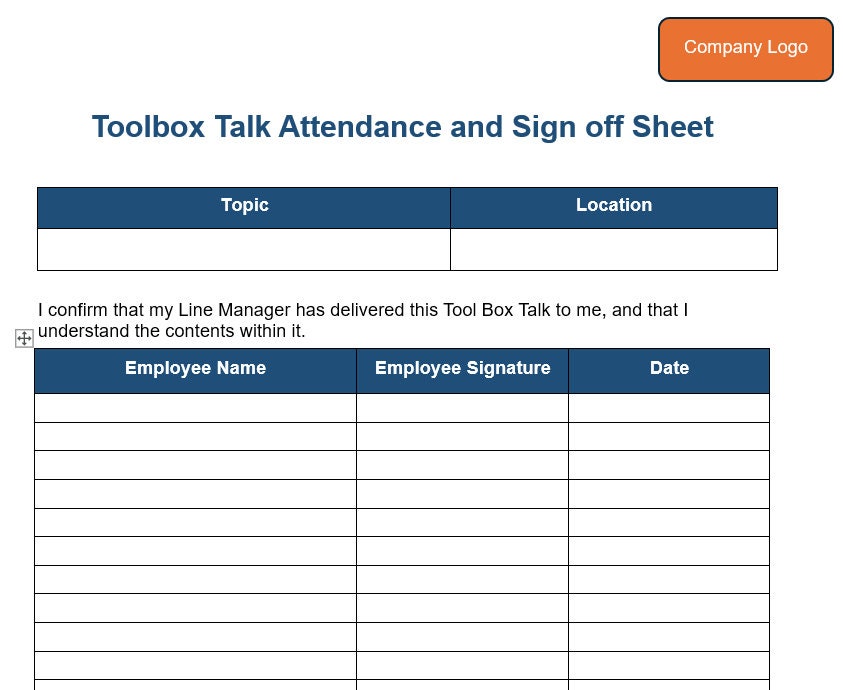
#### 1. Talk Title and Date Clear identification of the safety topic and when it occurred. Avoid vague titles like “Safety Reminder.” Use “Fall Protection for Roof Work – May 14.”
#### 2. Facilitator and Attendee List Names and roles. This allows follow-up and identifies who was trained on what.
#### 3. Worksite Location or Task Pinpoint where the talk applies—a specific floor, trench, or equipment. Context matters.
#### 4. Hazard Identification Section A space to list 3–5 key hazards. Example: “Overhead power lines,” “unstable soil,” “lack of PPE.”
#### 5. Control Measures Discussed How will risks be mitigated? “Use insulated tools,” “set up exclusion zone,” “conduct buddy check.”
#### 6. Employee Feedback or Questions A line for workers to add concerns. This makes the talk a dialogue, not a lecture.
#### 7. Signatures with Printed Names Legal proof of attendance and understanding.
#### 8. Follow-Up Actions Assign responsibilities: “John—inspect harnesses daily,” “Maria—update permit by noon.”
Skip any of these, and your form loses teeth.
Common Mistakes That Undermine Toolbox Talk Forms
Even experienced teams make errors that erode the value of their safety talks.
Mistake 1: Using the Same Form Every Day Repeating “General Safety” with no topic variation signals complacency. Inspectors notice. Workers tune out.
Mistake 2: Signing for Absent Workers Backdating or ghost-signing invalidates the entire record. It’s not just poor practice—it’s fraud.
Mistake 3: No Follow-Up on Action Items If the form says “inspect ladder,” but no inspection log appears, trust in the process collapses.
Mistake 4: Filling Forms After the Fact Documentation done hours later is inaccurate. Memories fade. Details blur.
Mistake 5: Not Tailoring Topics to Real-Time Risks Holding a talk on fire safety while crews are rigging cranes ignores present danger.
Fix these, and your toolbox talks become credible, actionable, and respected.
How to Use Forms to Identify and Prevent Recurring Hazards
Toolbox talk forms are data goldmines—if you mine them.
Create a monthly review process: - Scan forms for repeated hazard mentions (e.g., “slippery surfaces” appears 8 times) - Flag topics needing retraining - Identify supervisors who skip talks or use generic content
Example: A site safety officer notices 12 mentions of “inadequate lighting” across forms in three weeks. He initiates a site-wide lighting audit. Result: 14 dark zones corrected before an incident occurs.
| Set up a simple spreadsheet: | |||
|---|---|---|---|
| ------- | ------------------------ | --------------- | ------------------ |
| Apr | Eye Protection | 9 | Electrical |
| May | Trip Hazards | 14 | Excavation |
| Jun | Noise Exposure | 7 | Demolition |
This shifts forms from passive records to predictive tools.
5 Digital Tools That Upgrade Your Toolbox Talk Forms
Paper forms get lost, damaged, or buried. Digital tools fix that—with added power.
Here are five platforms that modernize toolbox talk forms:
| Tool | Key Features | Best For |
|---|---|---|
| SafetyCulture (iAuditor) | Custom templates, real-time reporting, photo evidence, offline access | Large teams needing audit trails |
| SiteDocs | Auto-distribution of talks, compliance tracking, integration with training records | Regulated industries (oil & gas, mining) |
| Procore | Built into project management, easy sign-off, cloud storage | Construction firms using Procore already |
| eCompliance | AI-driven insights, behavior tracking, multilingual support | Multilingual crews, behavioral safety programs |
| Forms On Fire | Highly customizable, integrates with Dropbox and Google Drive | Small to mid-sized contractors wanting flexibility |
Each lets you: - Push daily talks to mobile devices - Capture electronic signatures - Flag incomplete talks automatically - Generate PDF or CSV reports for audits
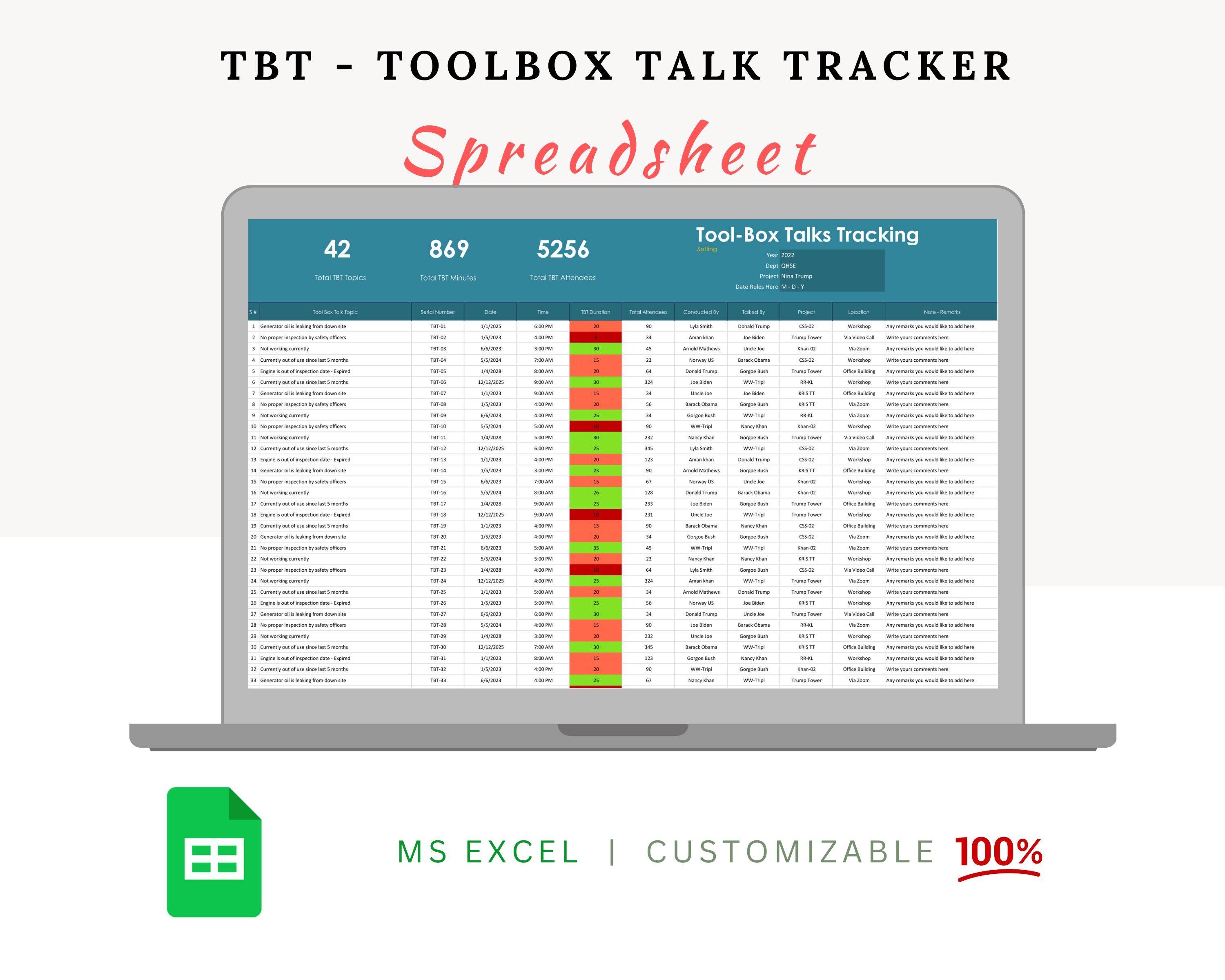
Switching to digital doesn’t just save paper—it closes compliance gaps and speeds up response times.
Making Toolbox Talk Forms Engaging (Not Just Compliance Tasks)
Workers don’t hate safety—they hate bad safety talks.
Revive engagement with these tactics:
Rotate Facilitators Let crew members lead a talk using the form as a guide. Peer-led talks increase attention and ownership.
Link Forms to Real Incidents Use a near-miss report to shape the talk. Example: “Yesterday, a load shifted during lifting. Today’s form covers correct sling angles and signals.”
Incorporate Visuals Attach a photo to the form—show the hazard, the correct PPE, or the safe method.
Use the Form as a Quiz Before signing, ask one worker: “What’s one control we agreed on?” Write the answer in the “Questions” field.
Celebrate Completion Track which crews complete 20+ consecutive days of documented talks. Recognize them.
When the form becomes part of a live conversation, not a clipboard chore, participation improves.
Legal and Compliance Implications of Poor Forms
In the event of an incident, toolbox talk forms are often among the first documents requested by OSHA, insurers, or attorneys.
Strong forms can: - Demonstrate that training occurred - Show workers were informed of hazards - Support defense in workers’ comp claims
Weak or missing forms can: - Imply negligence - Invalidate safety program credibility - Lead to higher fines
Case Example: After a fall incident, OSHA found the company had no documented fall protection talks for six weeks. Despite having a written safety plan, the lack of form records led to a $72,000 citation under the General Duty Clause.
Your form isn’t just paper—it’s legal insulation.
Actionable Steps to Improve Your Toolbox Talk Forms Today
- Audit Your Current Forms
- Pull the last 10 completed forms. Are they detailed? Signed? Relevant?
- Redesign the Template
- Add fields for hazards, controls, and actions. Remove vague sections.
- Train Supervisors on Facilitation
- Teach them to use the form as a guide, not a script.
- Set a 7-Day Pilot
- Enforce new form standards on one crew. Review results weekly.
- Digitize If Possible
- Start with one tool—like iAuditor or Forms On Fire—and scale.
- Review Monthly
- Use form data to adjust training, equipment, or procedures.
- Close the Loop
- Report back to crews: “You flagged poor ventilation—new fans arrive Tuesday.”
Final Thought: A toolbox talk form is more than documentation—it’s a daily contract between leadership and workers. When done right, it doesn’t just record safety; it creates it. Use it with purpose, update it with insight, and treat it as a living tool. That’s how you turn routine into results.
Frequently Asked Questions
What should be included in a toolbox talk form? A complete form includes topic, date, location, facilitator, attendee list, hazards, controls, discussion points, signatures, and follow-up actions.
How often should toolbox talks be held? At minimum, weekly. High-risk tasks or site changes require daily talks.
Can digital signatures be used on toolbox talk forms? Yes, if the system ensures authenticity, timestamping, and data integrity.
Who is responsible for completing the form? Typically the supervisor or safety officer leading the talk.
Should toolbox talk forms be kept on file? Yes. Retain for at least one year—or longer based on local regulations.
Can toolbox talk forms reduce insurance premiums? Indirectly. Strong documentation shows risk management, which insurers reward.
What if a worker refuses to sign? Document the refusal and reason. Address concerns immediately—signing indicates participation, not agreement.
FAQ
What should you look for in How to Master Toolbox Talk Forms for Safer Worksites? Focus on relevance, practical value, and how well the solution matches real user intent.
Is How to Master Toolbox Talk Forms for Safer Worksites suitable for beginners? That depends on the workflow, but a clear step-by-step approach usually makes it easier to start.
How do you compare options around How to Master Toolbox Talk Forms for Safer Worksites? Compare features, trust signals, limitations, pricing, and ease of implementation.
What mistakes should you avoid? Avoid generic choices, weak validation, and decisions based only on marketing claims.
What is the next best step? Shortlist the most relevant options, validate them quickly, and refine from real-world results.

/cdn.vox-cdn.com/uploads/chorus_image/image/70269281/112379621.0.jpg)